Old photos get damaged. It’s just what happens. The colors wash out, scratches appear, and corners get bent. For a long time, fixing them was either really hard or really expensive. Now, AI does it. You have tons of options, which is its own problem.
To make it simple, this guide breaks down the leading AI photo restoration services for 2026. We’ll go through the apps you tap once and the sites where you can tweak things, so you can find the easiest way to get your pictures sorted.
Choosing the Right Photo Restoration Tool: A 2026 Comparison Guide
Here’s how we’re comparing these tools. We looked at a few key factors that determine what each one is actually good for.
- Primary Use Case: The type of user or situation it’s designed for.
- Core Strength: What it does best.
- Ease of Use: How simple the interface is to learn.
- Level of Control: The mix of automatic AI and manual adjustments.
- Output Philosophy: Whether it aims for vibrant enhancement or conservative repair.
- Platform & Accessibility: Where you use it (mobile, web, desktop).
Revive Your Memories: Top AI Tools to Restore Old Photos
Which app is best for photo restoration? It varies. Do you need a fast mobile fix, a controllable editor, or batch processing? This 2026 comparison highlights the top four services and who they’re for, making your choice clearer.
1. Renew App
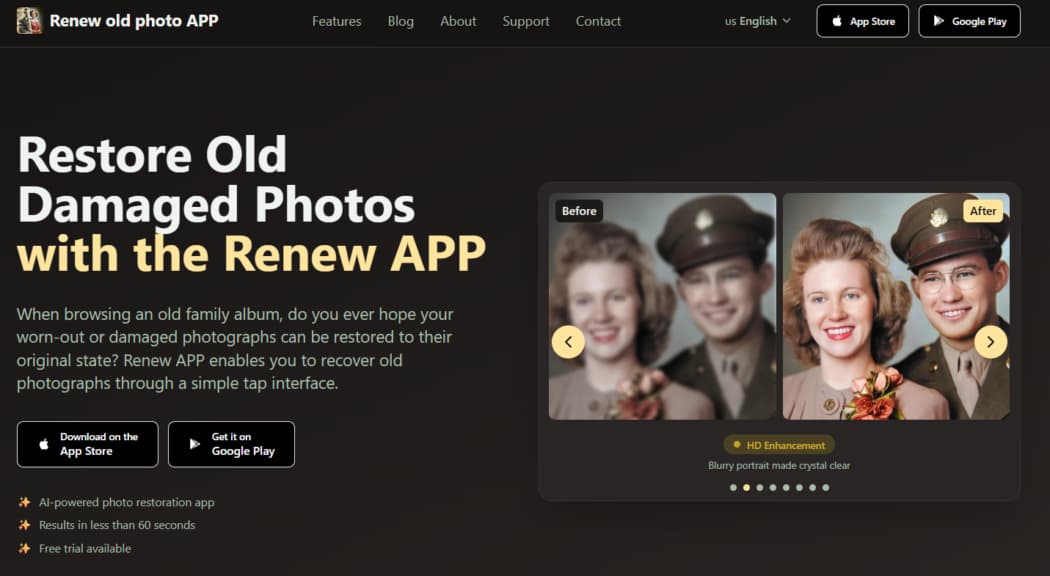
Renew App is an AI-powered tool designed to restore old, damaged photographs. It transforms worn, torn, or faded pictures into clear, vibrant images with minimal effort, allowing precious memories to be preserved and shared.
Key Features
- Fixes Damage: Repairs tears, fading, and wear automatically.
- Sharpens Details: Enhances faces and cleans backgrounds.
- Colorizes: Adds color to B/W photos instantly.
- Removes Scratches: Erases flaws with one tap.
- Corrects Light: Fixes dark or overexposed images.
- Merges Photos: Combines multiple pictures.
- Animates: Adds subtle motion.
- Secure: Keeps your images private.
- High Quality: Outputs files for print or sharing.
- Try Free: Test features before buying.
How to Use the Renew App
Using Renew is a straight line. Start by telling it what to fix. Add your photo. The app’s AI takes over and repairs the image automatically. You get a preview, a slider to check the work. Adjust, then save or share the final result. The whole thing takes about a minute.
2. FixMyPics
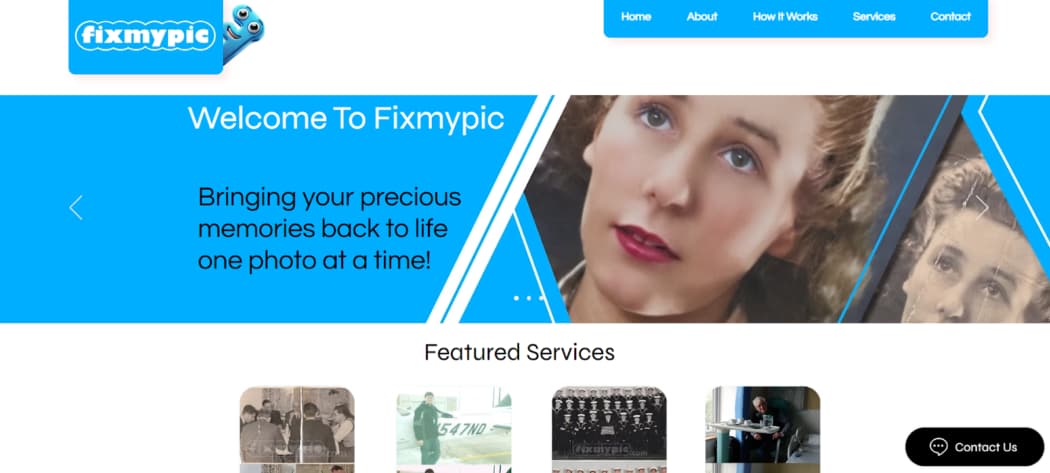
FixMyPics is a hybrid photo restoration service that blends AI automation with manual fine-tuning controls. It caters to users who desire a hands-on role in the restoration process, offering a practical alternative to both fully automatic apps and complex professional software.
Key Features
- AI Clean-Up: Fixes cracks, stains, and tears.
- Manual Controls: Adjust brightness, contrast, and color.
- Add Color: Optional realistic colorization for B/W photos.
- Fix Backgrounds: Cleans up and improves image backgrounds.
- Natural Look: Results avoid an artificial, over-processed feel.
- Pro Service: Option to have experts manually restore your photo.
- Secure Transfer: Private upload and delivery via email.
- Bulk Discounts: Save money when restoring multiple photos.
How to Use FixMyPics
The service offers two distinct pathways: a DIY app and a professional service.
For the app-based restoration, users first upload a photo for the AI to automatically clean. Afterwards, adjustable sliders become available for manual light and tone corrections before saving the final image.
For the professional service, the process involves three steps. First, the damaged photo is uploaded along with any special instructions to receive a quote. Once approved, expert editors restore the photo using advanced techniques. Finally, the high-quality restored image is delivered securely via email.
3. PhotoRestore.io

PhotoRestore.io is a website that fixes old photos. Unlike many tools that smooth everything out, it focuses on careful repair. It removes damage like scratches and dust but works hard to keep the photo’s original texture and grain. The goal is to clean the image without making it look artificially processed.
Key Features
- Respectful Repair: Cleans damage without losing the original look.
- Keeps Character: Preserves natural texture and grain.
- No AI Gloss: Avoids that artificial, over-processed feel.
- Use in Browser: No download needed; works online.
- Pay Per Photo: No subscription, only pay for what you fix.
- Extra Tools: Also colorizes, removes backgrounds, and upscales.
- Album Tools: Organize and share your restored photos.
How to Use PhotoRestore.io
The process is conducted entirely within a web browser. First, photos are uploaded to the platform in any common format.
Next, the desired enhancement options—such as restoration, colorization, or upscaling—are selected. The AI then processes the image with a focus on conservative repair.
Finally, the high-quality, enhanced result is downloaded directly. The service also allows users to organize restored photos into shareable albums.
4. VanceAI Photo Restorer
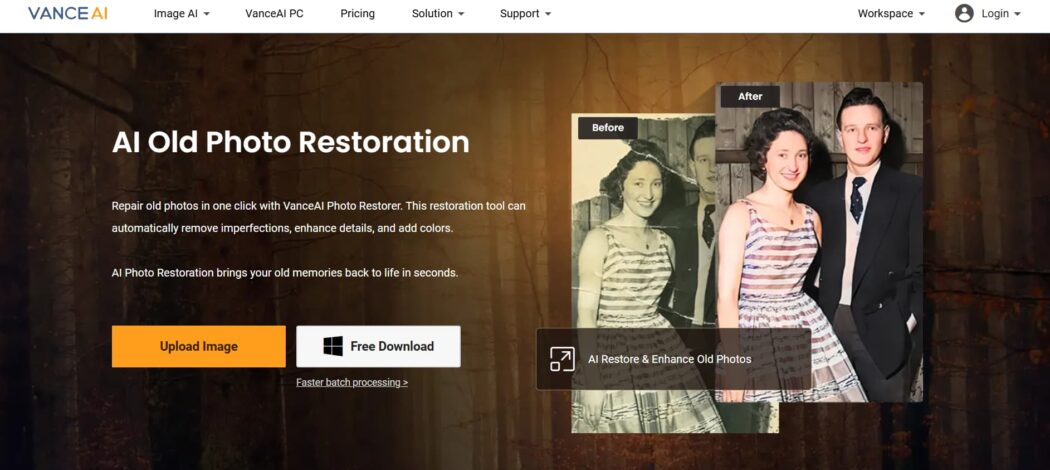
VanceAI Photo Restorer is a dedicated online and offline tool that uses artificial intelligence to repair and enhance old, damaged photographs. It efficiently removes physical flaws like scratches, tears, and dust while improving overall clarity and resolution, making it a practical solution for restoring scanned images.
Key Features
- One-Click Repair: Cleans scratches, tears, and spots.
- Face Sharpening: Improves detail in portraits.
- Add Color: Colorizes black-and-white photos.
- Upscale Quality: Enhances sharpness and resolution.
- Batch Restore: Processes multiple images at once (desktop).
- Use Anywhere: Works online or via desktop software.
- Auto-Delete: Images removed after 24 hours.
- Print-Ready: Exports high-quality files.
How to Use VanceAI Photo Restorer
The restoration process is designed for simplicity. An old or damaged photo is first uploaded to the platform. By clicking ‘Start to Process,’ the AI automatically analyzes and repairs the image, addressing flaws and enhancing details.
The restored result can then be previewed, further edited if desired, and finally downloaded in high quality.
Conclusion
The reality is that photo restoration isn’t a hassle anymore. You have options for any situation—fast automatic fixes, precise manual tools, and services for large projects. The hard part is over; the tech exists. Your only job is to choose the tool that fits your specific goal. Once you do, you can focus on the result instead of the process.
Two Additional AI Restoration Apps to Be Aware Of
The tools above cover most common restoration scenarios, but there are two additional apps that users often turn to when they need either deeper mobile restoration or more creative flexibility.
RetroFix
RetroFix is a mobile AI photo restoration app built for photos with clear signs of age and physical damage. It focuses on repairing scratches, faded areas, uneven lighting, and degraded facial details by reconstructing missing information rather than simply enhancing sharpness.
The workflow remains simple and fully automated, making it accessible to users without editing experience. After restoration, RetroFix also allows photos to be animated, adding subtle motion once the image has been properly repaired.
RetroFix is a strong option when quick one-tap apps feel too shallow, but professional desktop software feels unnecessary. More information is available at https://retrofix.app.
Yore
Yore approaches photo restoration with an emphasis on creative reconstruction. It can restore and enhance damaged photos, but its standout capability is merging two separate images into one. This is especially useful when parts of a photo are missing or when recreating scenes that were never originally photographed together.
In addition to restoration and photo combining, Yore supports photo animation. It is designed for users who want expressive, memory-driven results rather than strictly technical repairs.
Yore is best suited for projects that combine restoration with creative output. Learn more at https://yoreapp.website.
Final thought:
From fast mobile fixes to tools that rebuild and reimagine old images, AI photo restoration in 2026 offers more flexibility than ever. RetroFix and Yore help round out the landscape by covering deeper repair and creative reconstruction without adding complexity.